I’m a Master’s student in Interaction Design, currently in my final year. My initial interest in design started from sketching in school and has now evolved to listening and understanding people and solving for them.

10:41

Jun 16, 2025

UX Dashboard

Dashboard
Dashboard
Dashboard
Dashboard

Category:

UI Design

Duration:

1 month

The Goal:

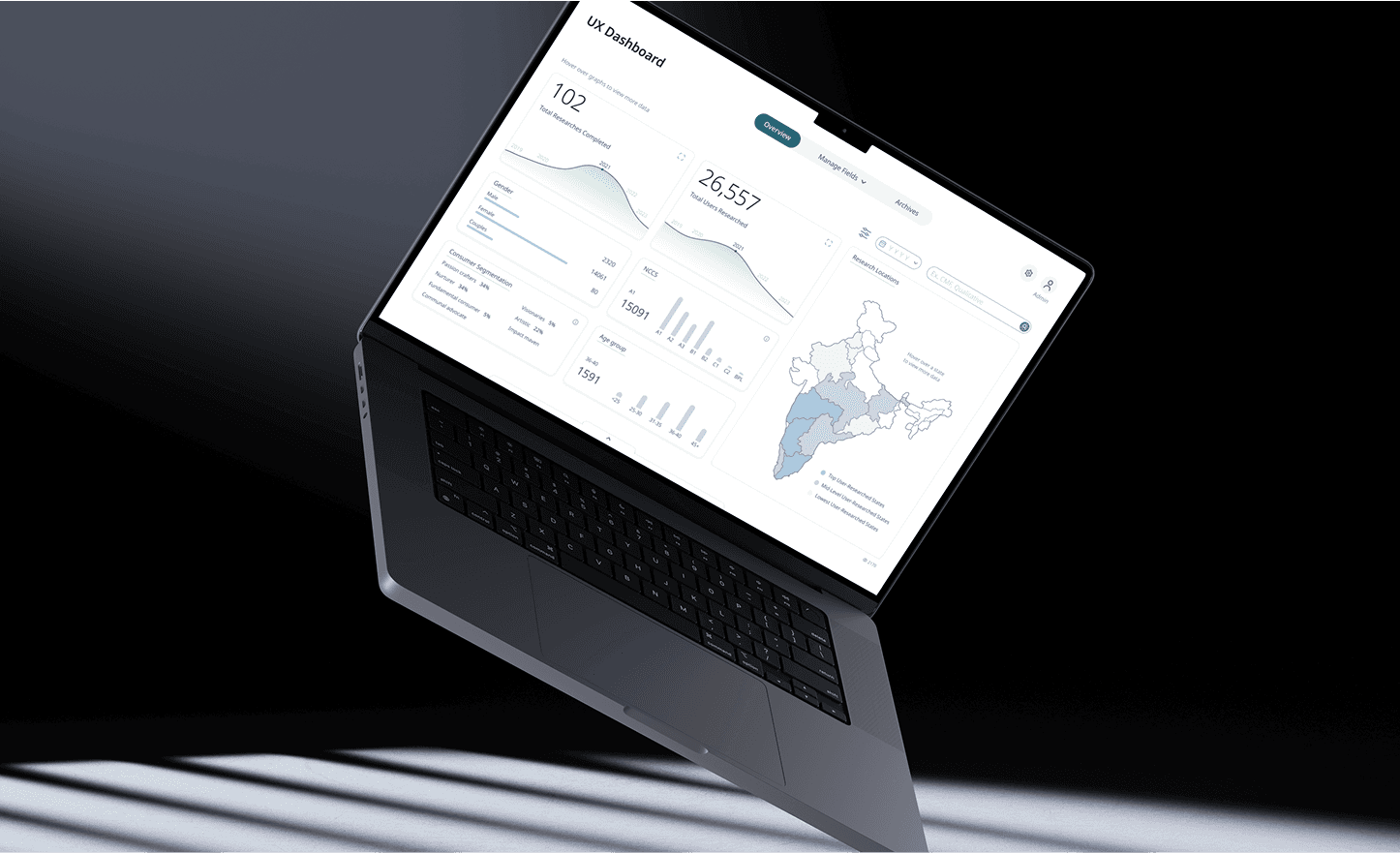
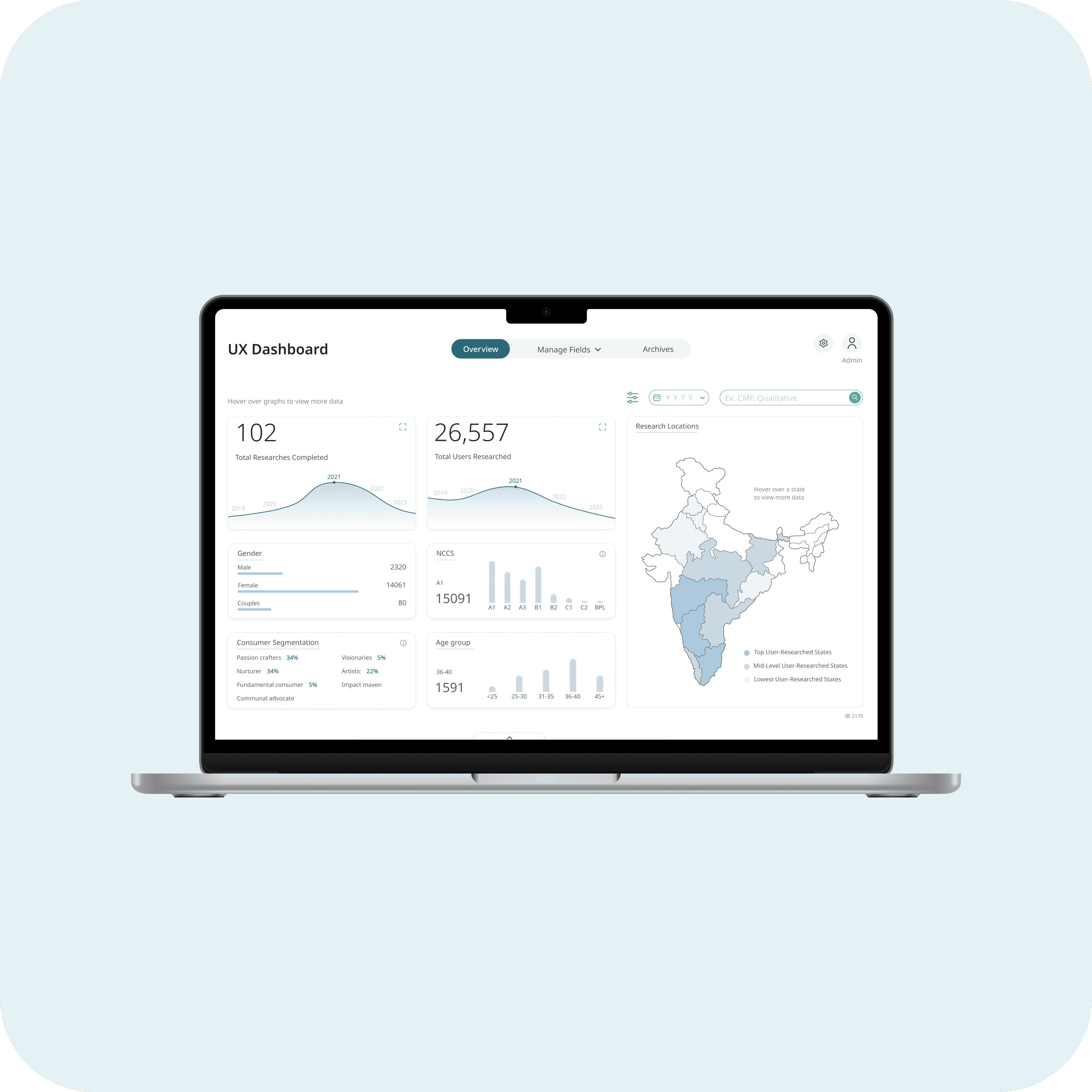
The main goal with the UX Dashboard was to create one central place for all the research data the company collects. It was to make it easy for everyone—from researchers to decision-makers—to find, organize, and understand past and ongoing research at a glance.

The Challenge:

Stakeholders and researchers were overwhelmed by scattered, unorganized data, struggling to efficiently find and manage information. Current methods were complex and time-consuming, highlighting a critical need for a unified, user-friendly system.
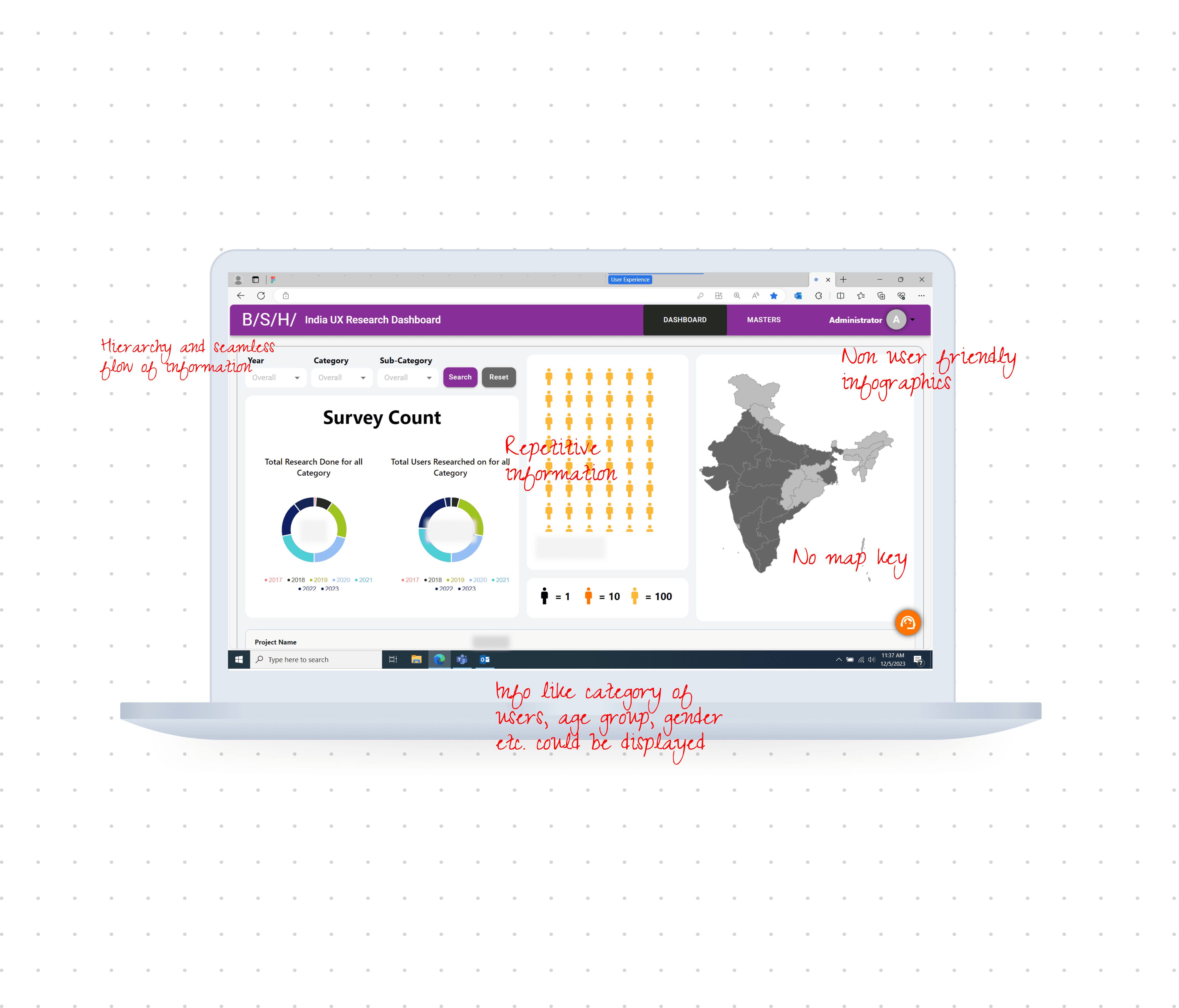
The Result:

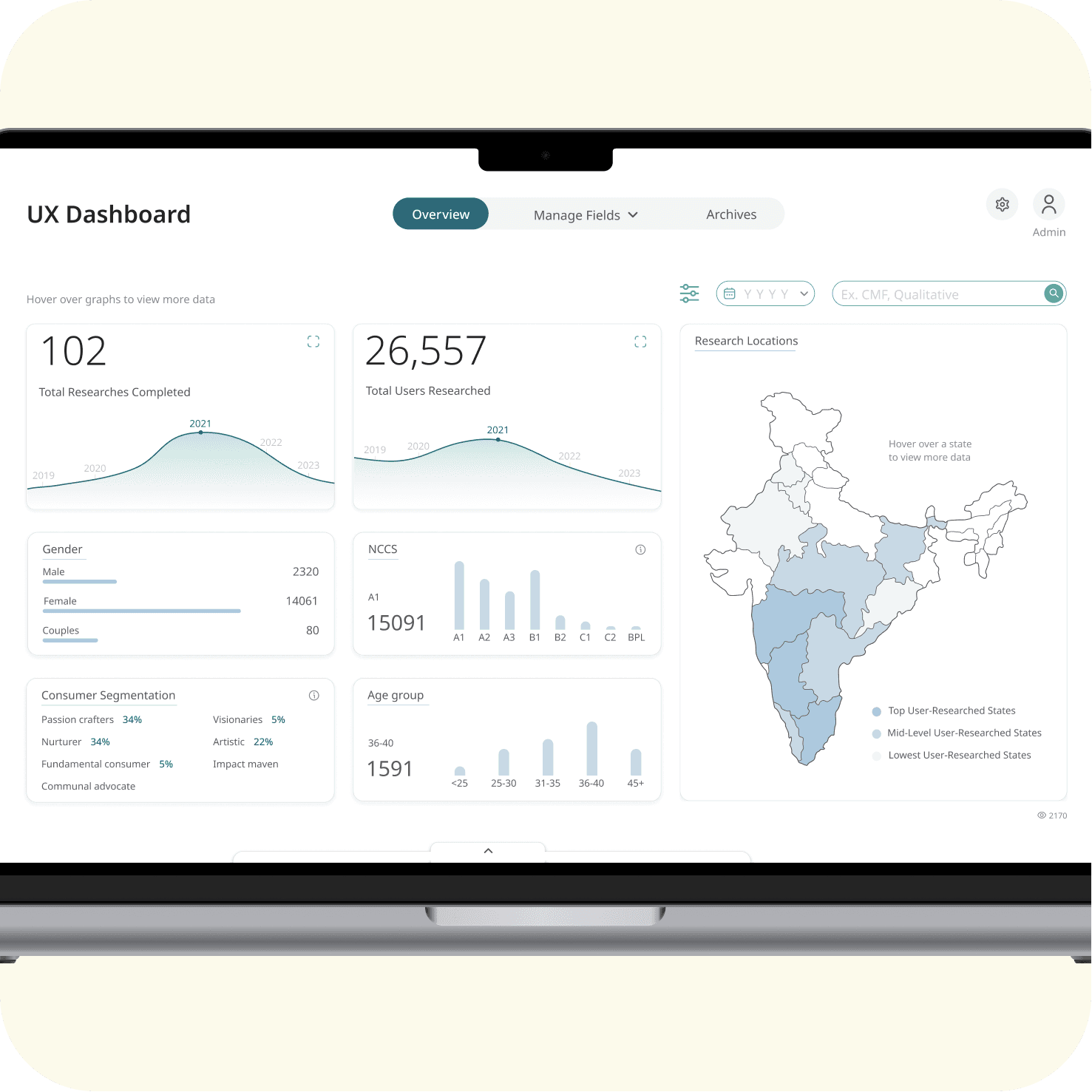
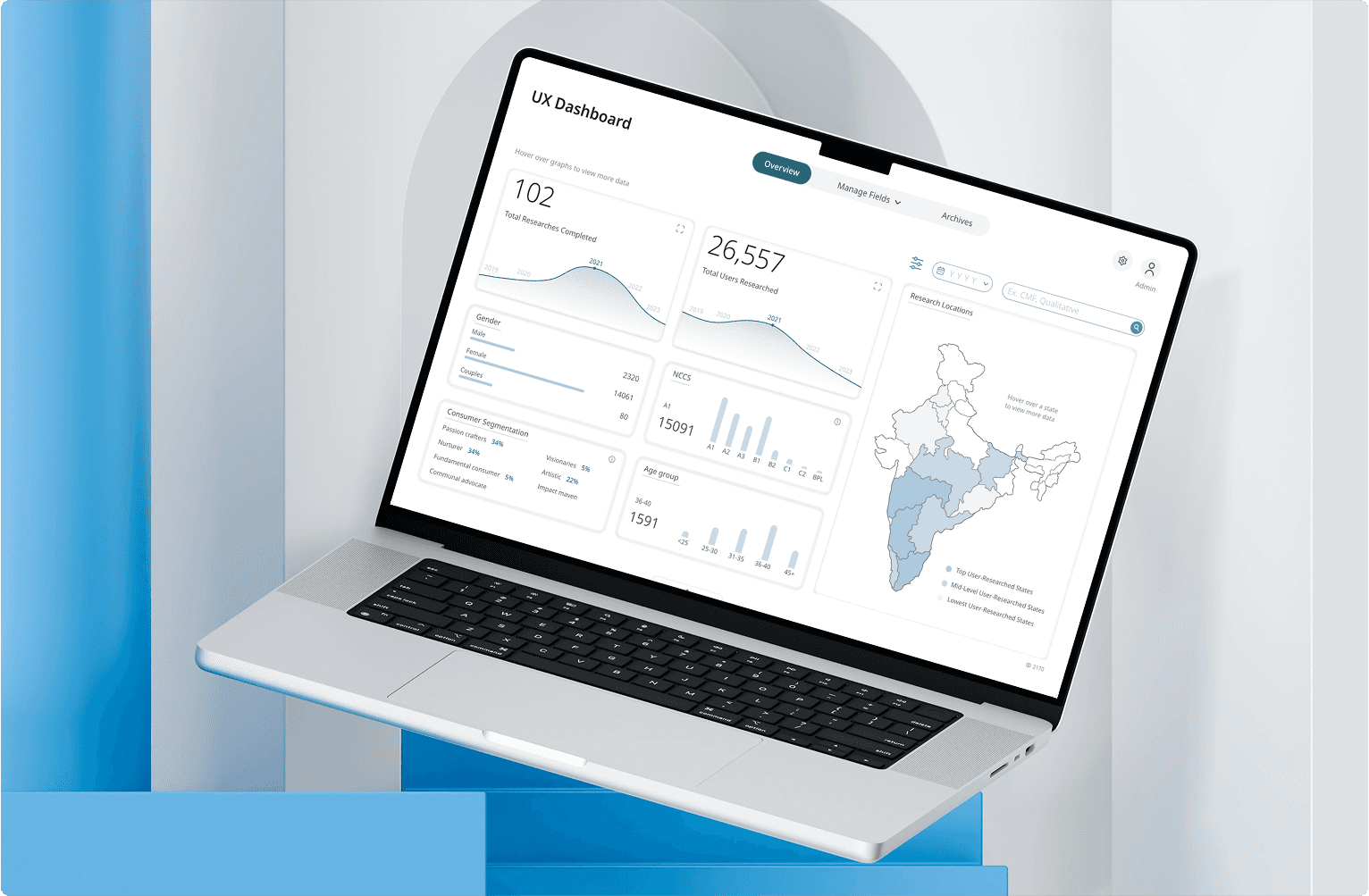
The UX Dashboard now provides an intuitive, centralized hub for research data. It offers clear data visualization, streamlined content management, and role-based functionalities, significantly improving decision-making and providing a comprehensive overview of all research efforts.

Overview: Quick glance of overall data

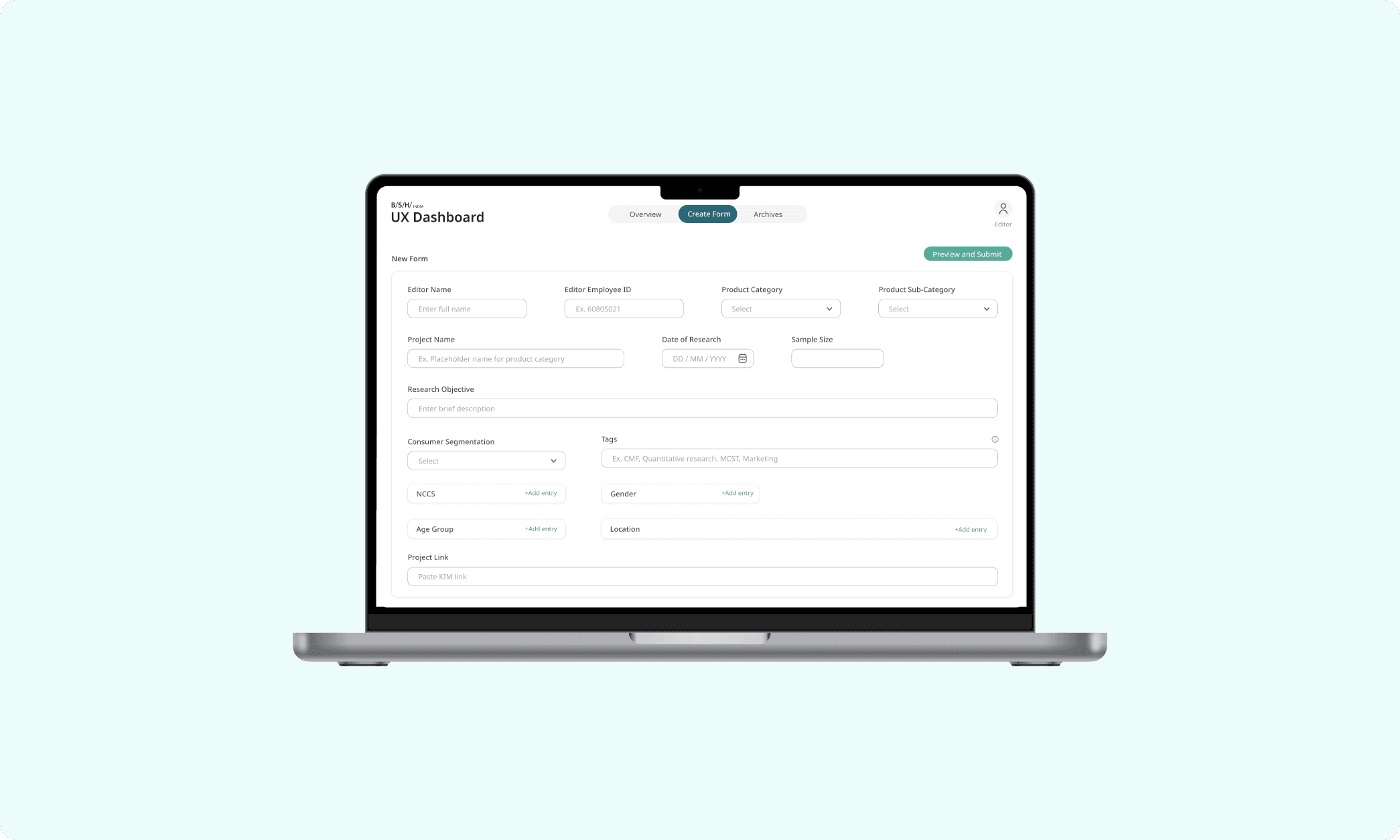
Editor: Fill form with research data

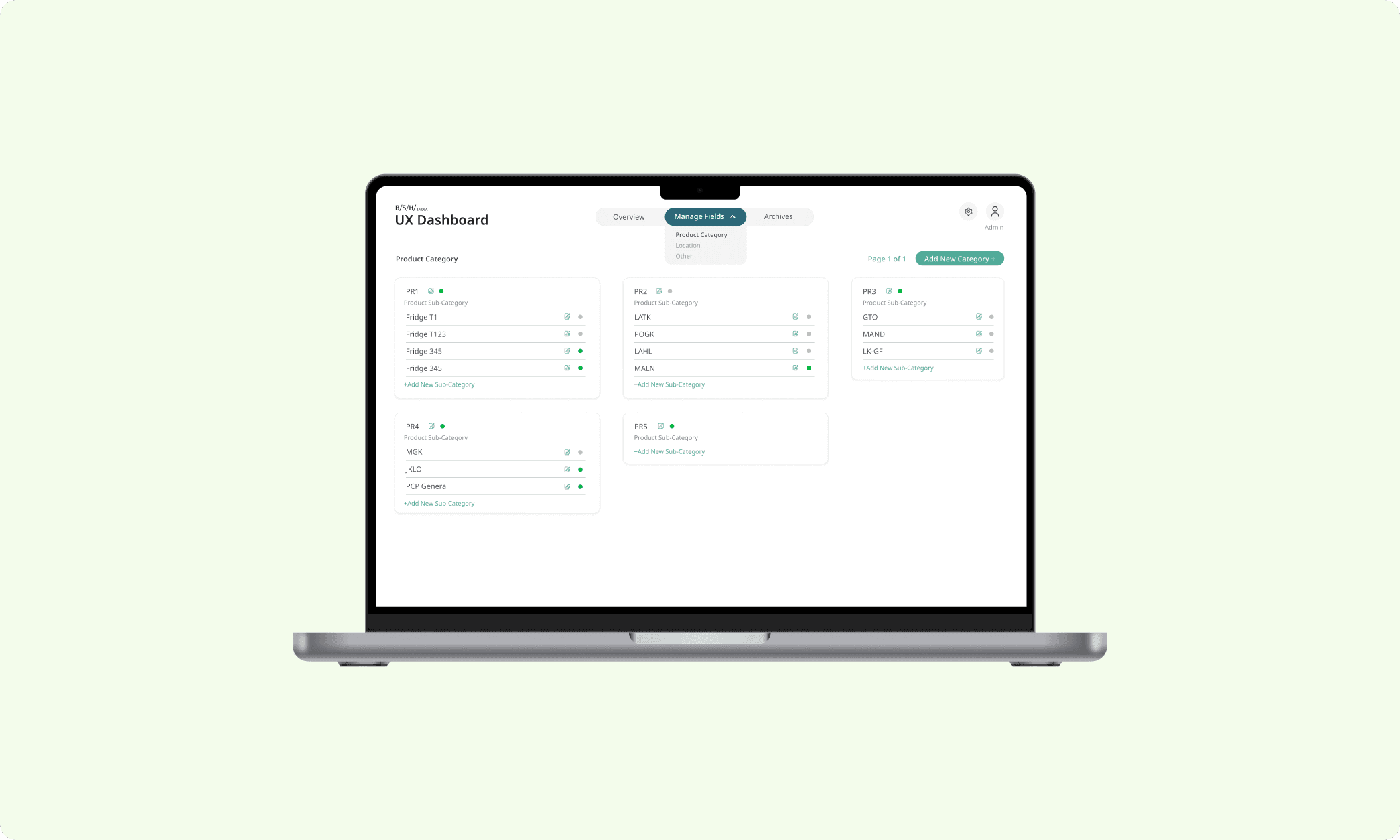
Admin: Manage the data being entered

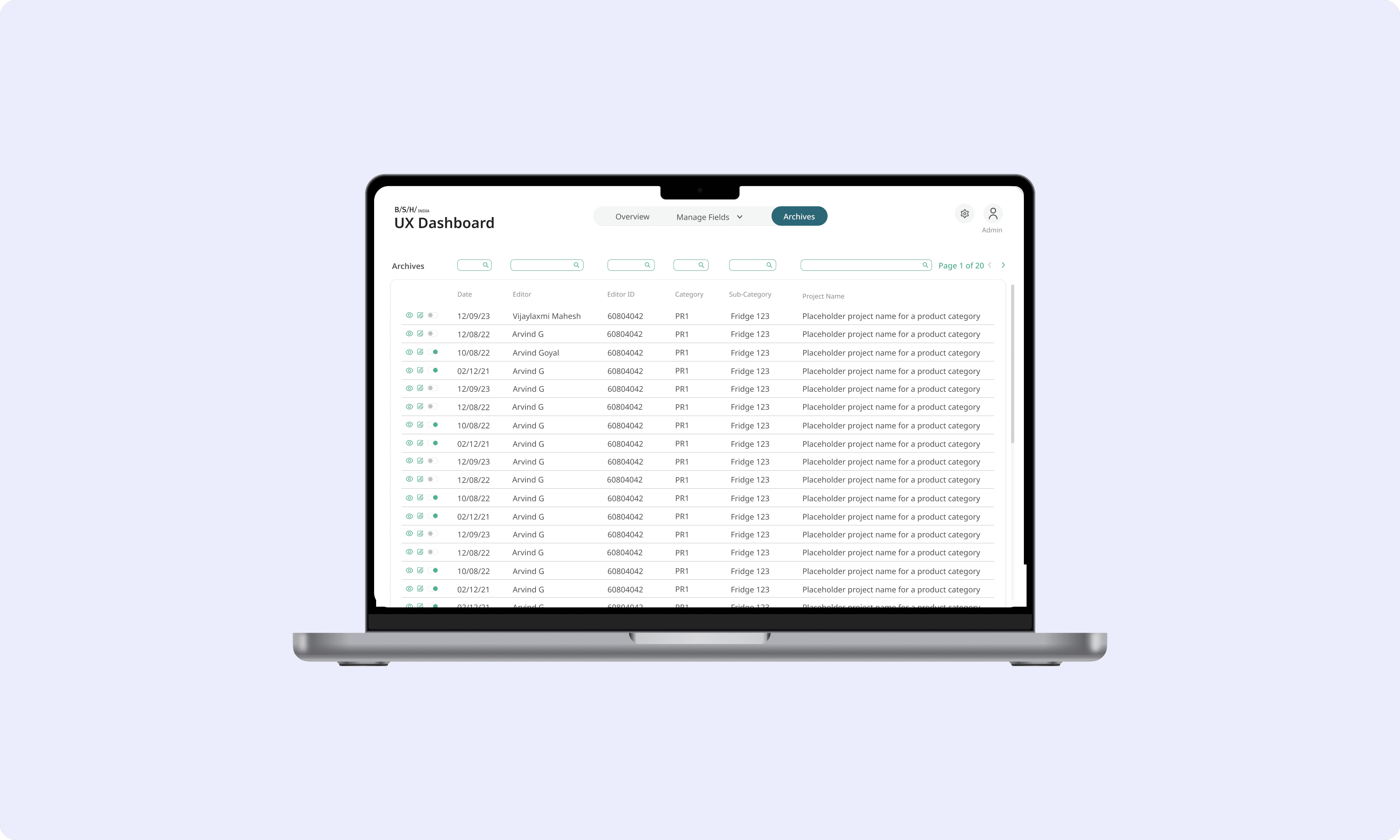
Admin and Editor: View data archives